
Before you start
LAN play runs entirely on your local network — nothing goes through the internet, so it works at home, in a dorm or on a phone hotspot.
- All devices must be on the same Wi-Fi network (or one phone's hotspot).
- Everyone should be on the same version of Retrofun. Rooms from an older version won't appear.
- Only the host needs the game. When a friend joins, the host sends the game and the current save state automatically.
Guest networks and some public Wi-Fi block devices from seeing each other ("client isolation"). If rooms never show up, try a phone hotspot.
Host a room
- Open the game you want to play in the library, then tap the LAN button at the bottom of the screen.
- Type the name other players will see and tap CREATE ROOM.
- Pick how many players can join (2–4) with the arrows, then tap START HOSTING.
- Share your room code (the short number under your IP address) or let friends find the room in their list.
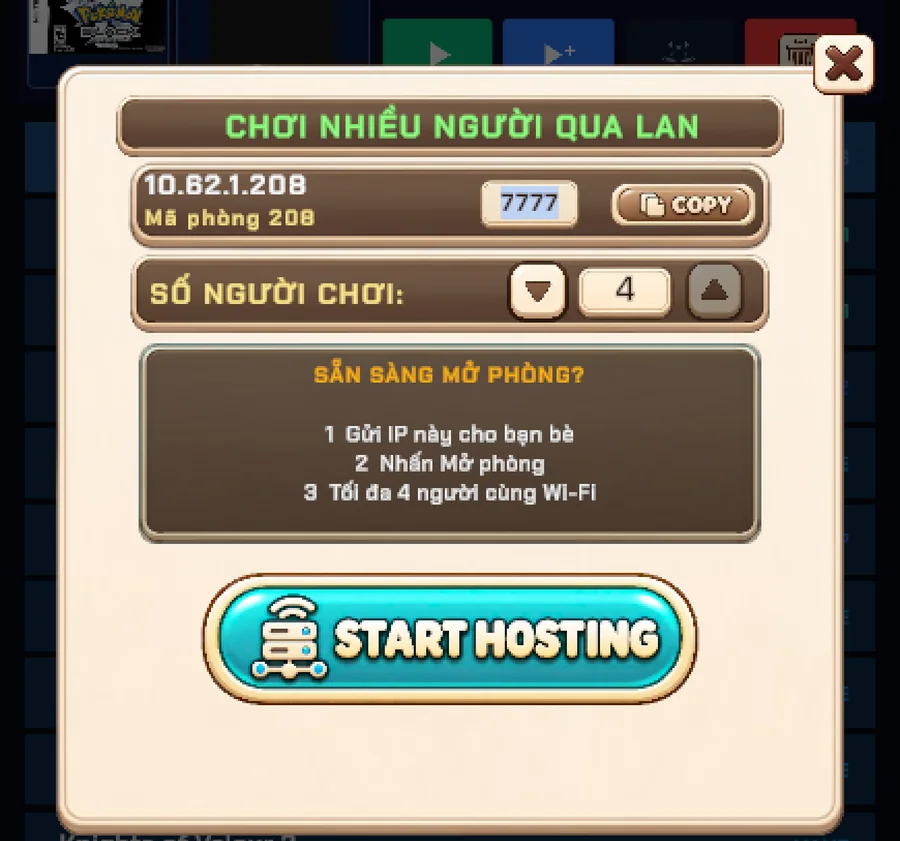
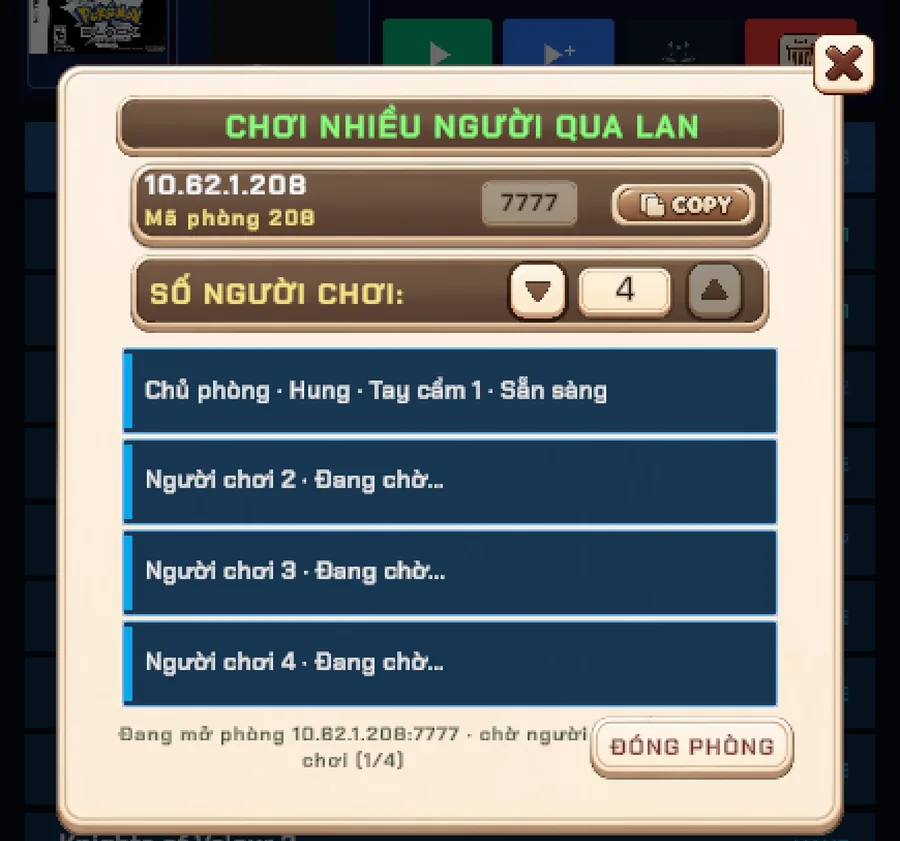
When everyone shows as ready, start the game. Retrofun sends the game and a save state to each player so everybody begins on exactly the same frame.
Join or watch a room
- Tap LAN → JOIN ROOM. Rooms on your network appear under Available LAN rooms within a second or two.
- Tap JOIN next to a room. If the room is full you'll see WATCH instead — that joins as a spectator.
- Can't see the room? Type the host's room code (or full IP address) in the box at the top and tap CONNECT.
- If the room shows PIN, the host has locked it — enter the PIN they give you.

During the game
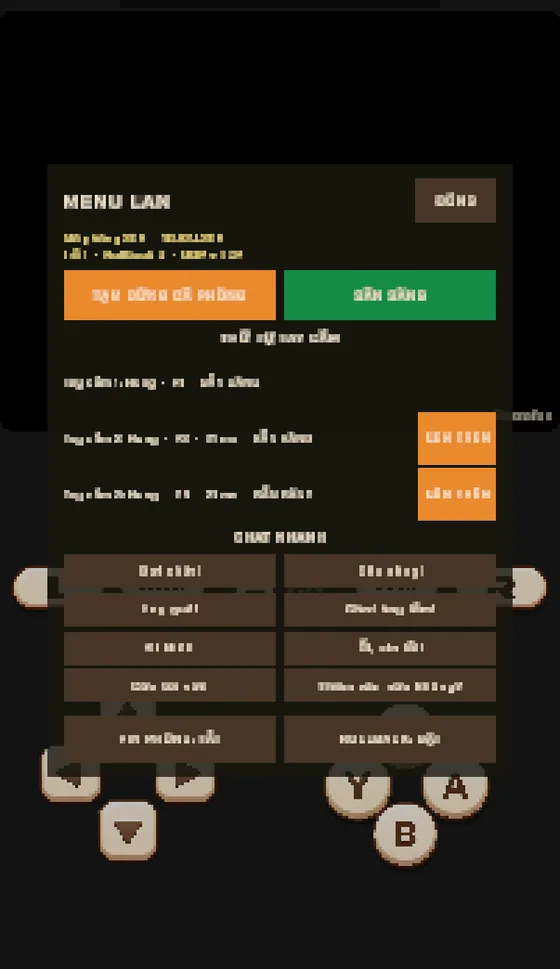
A small LAN chip in the corner shows your ping and input delay. Tap it to open the LAN menu:
- Quick chat — send short phrases like "Ready?" or "Nice!" without leaving the game.
- Pause for everyone — any player can pause; a banner shows who paused.
- Ready & player order — swap who is Player 1, 2, 3 or 4 before the match.
- Host tools — the host can save, load or reset and every device follows along.
Why it feels responsive
Retrofun uses the same techniques as modern fighting games:
- Rollback (SNES, NES, Neo Geo and arcade): your own button presses show up instantly. If a friend's input arrives late, the game quietly rewinds a few frames, applies it and catches up — usually before you notice.
- Adaptive delay: the input delay tunes itself to the connection, typically 1–3 frames at home.
- Fast UDP inputs with TCP as a backup, so a lost packet never freezes the match.
- Desync check: every couple of seconds the devices compare game state and warn you if they ever drift apart.
Troubleshooting
- No rooms in the list — confirm both devices are on the same network, then type the room code manually. Turn off VPNs.
- "Wrong PIN" / "Room full" — ask the host for the PIN, or join as a spectator.
- Stutter — move closer to the router, or use 5 GHz Wi-Fi. A hotspot from one of the players' phones is often smoother than a busy home network.
- Still stuck? Send a report from Settings → Report bug and tell us both device models.
Screenshots were taken on a Xiaomi Pad 5 with the Vietnamese interface; button positions are the same in every language.