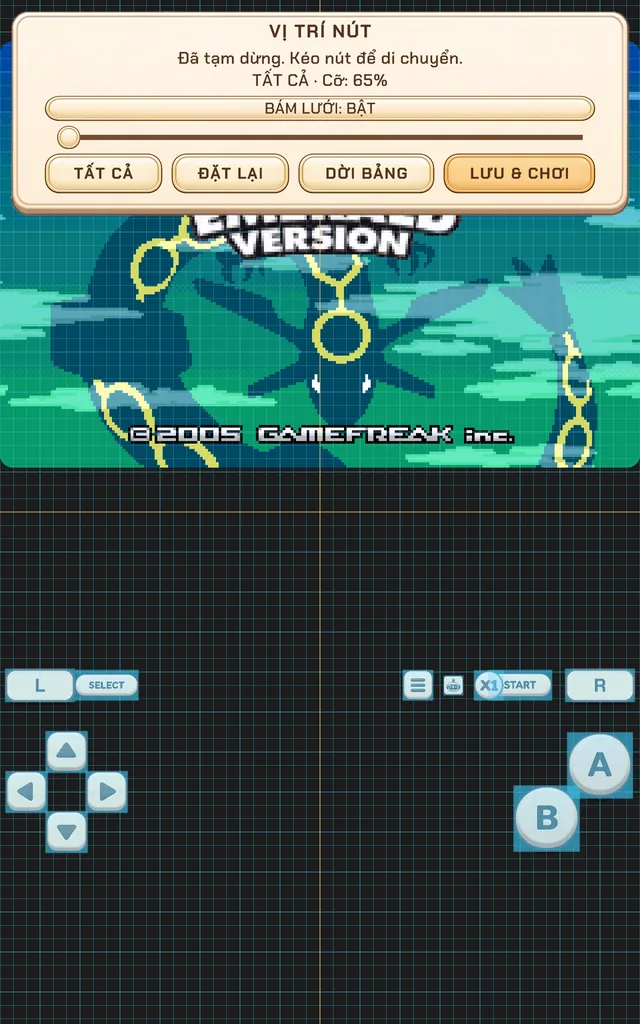
Controls for each system
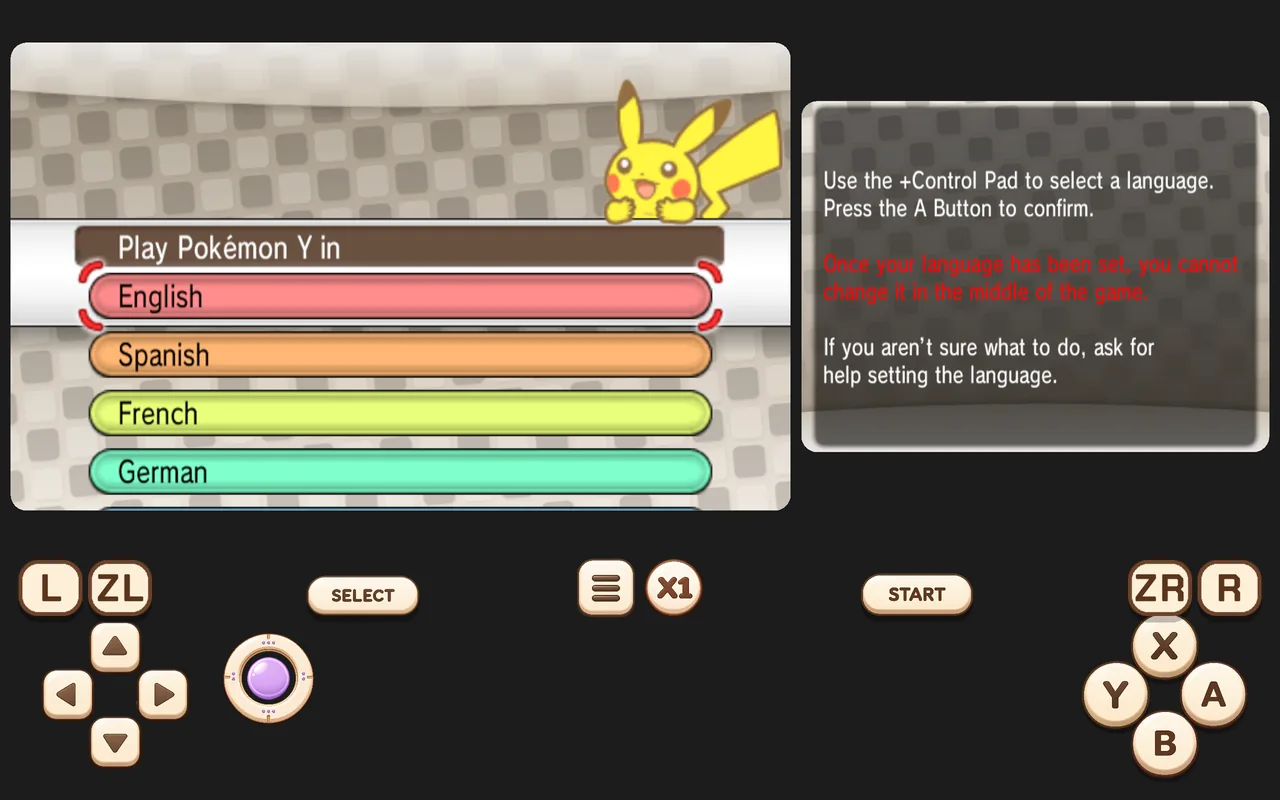
Retrofun shows only the buttons a system actually had: two face buttons for Game Boy, six for SNES and arcade, shoulder buttons where they existed.
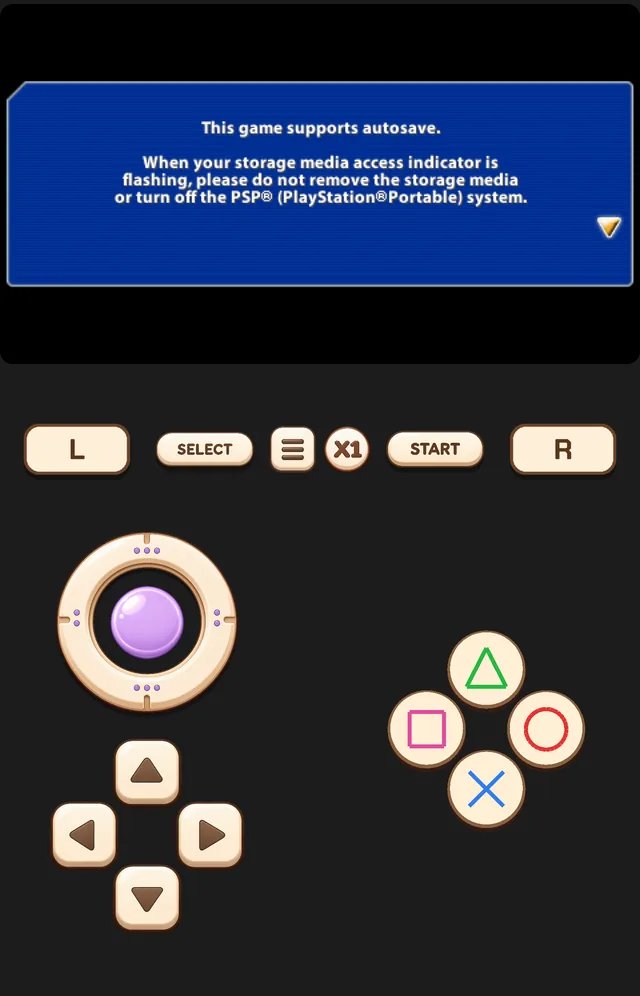
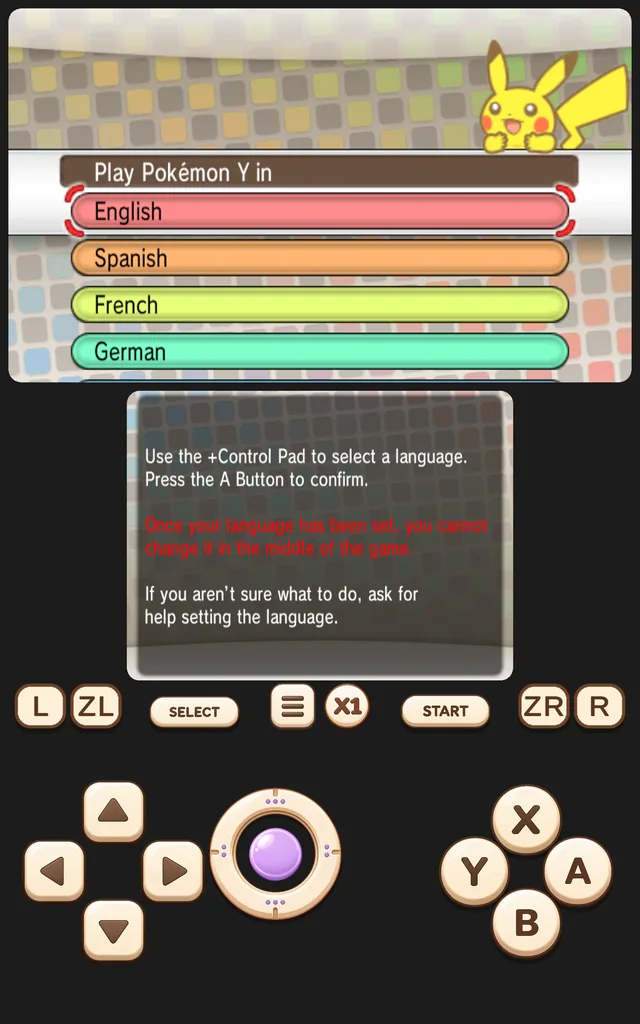
PS1 games get DualShock analog sticks, and the utility row (L · SELECT · menu · speed · START · R) keeps even spacing on any screen.
Move and resize buttons
- Open the in-game menu ☰ → BUTTON LAYOUT. The game pauses and a grid appears.
- Drag any button to move it. Use the slider to resize all buttons, or select one to resize it on its own.
- Turn SNAP TO GRID on for neat alignment.
- Tap SAVE & PLAY. RESET restores the default layout.
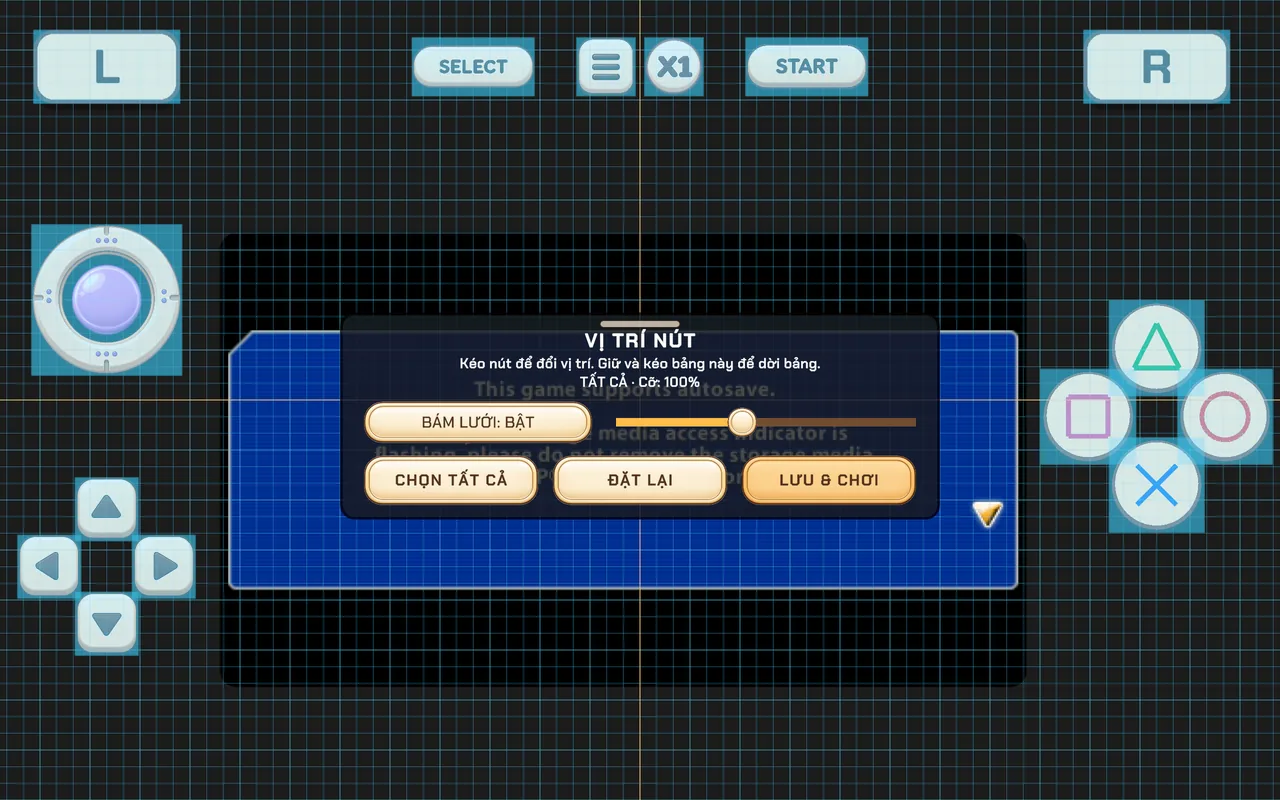
If buttons look too small or are overlapping after an update, open the layout editor and tap Reset.
Connect a gamepad
Pair the controller in Android's Bluetooth settings (or plug it in with USB) and start a game — Retrofun detects it automatically and hides the touch buttons. Tested controllers include:
- Xbox Wireless and Xbox Series controllers
- PlayStation DualShock 4 and DualSense
- Nintendo Switch Pro Controller and Joy-Con
- 8BitDo, Razer Kishi, Backbone and generic Android gamepads
Every button can be remapped from the controls page in Settings. Up to four controllers can be connected at once for local multiplayer on one screen.
Screenshots were taken on a Xiaomi Pad 5 with the Vietnamese interface; button positions are the same in every language.